ERP Implementation Checklist: A Step-by-Step Guide for Success
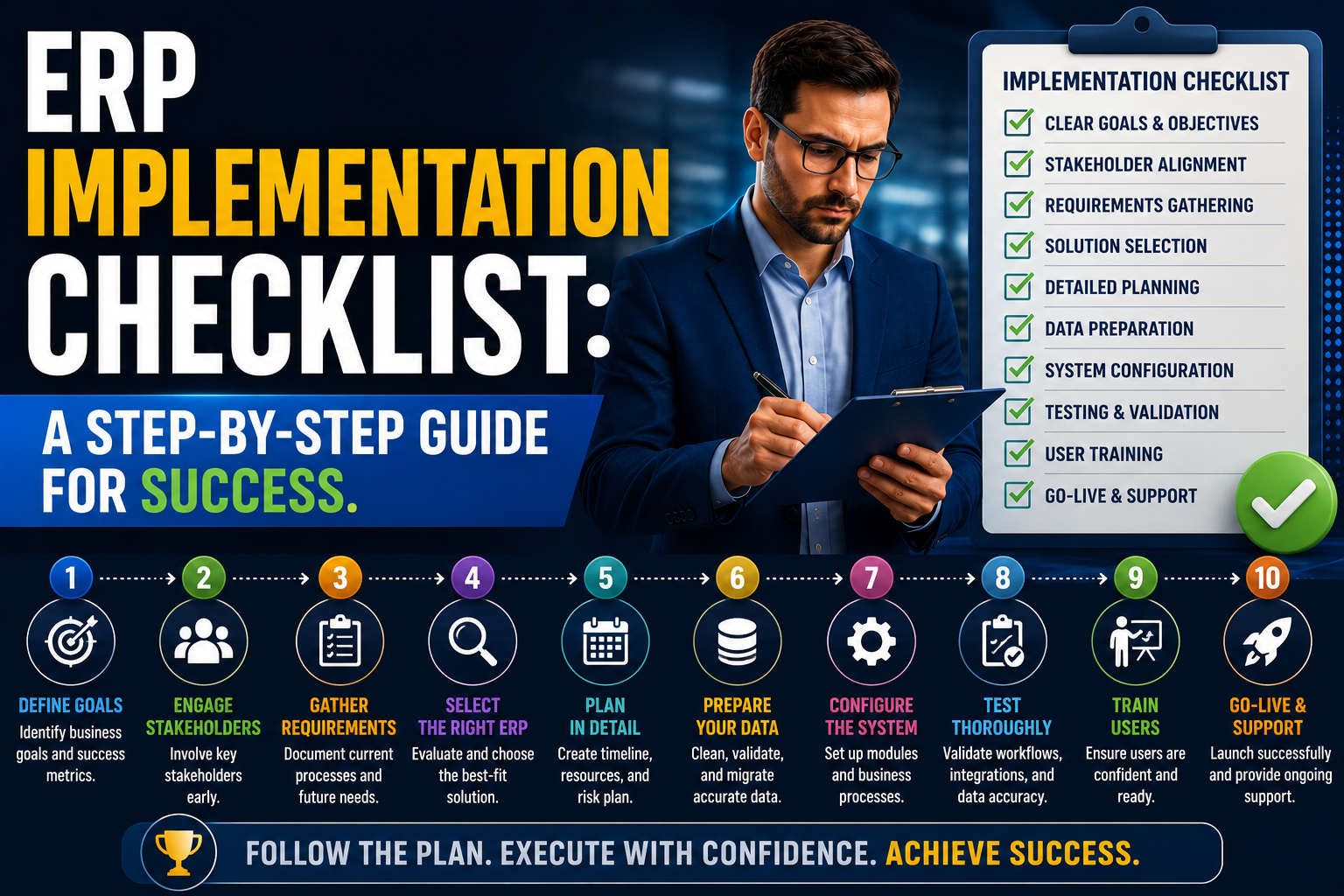
Implementing an ERP system is one of the most important investments a business can make. A successful ERP implementation can improve efficiency, increase visibility, and support long-term growth. However, without proper planning and preparation, ERP projects can face delays, budget overruns, and user adoption challenges. Use this checklist to help ensure your ERP implementation is structured, organized, and positioned for success.
Phase 1: Define Business Objectives Before selecting or implementing an ERP solution, clearly define what you want to achieve.
Checklist
✔ Identify current business challenges
✔ Define project goals and success criteria
✔ Document operational inefficiencies
✔ Identify reporting requirements
✔ Establish expected business benefits
✔ Gain executive sponsorship and support
Questions to Ask
- What problems are we trying to solve?
- What processes need improvement?
- How will we measure success?
Phase 2: Build the Project Team ERP implementations require involvement from multiple departments.
Checklist
✔ Appoint an executive sponsor
✔ Assign a project manager
✔ Identify department representatives
✔ Define roles and responsibilities
✔ Establish communication channels
✔ Schedule regular project meetings
Key Departments
- Finance
- Sales
- Purchasing
- Inventory
- Operations
- Manufacturing
- IT
Phase 3: Review and Improve Processes ERP should not simply automate inefficient processes.
Checklist
✔ Document current workflows
✔ Identify bottlenecks
✔ Eliminate unnecessary steps
✔ Standardize procedures
✔ Define future-state processes
✔ Obtain stakeholder approval
Focus Areas
- Order-to-cash
- Procure-to-pay
- Inventory management
- Financial reporting
- Production planning
Phase 4: Prepare Data Poor data quality is one of the biggest causes of ERP implementation problems.
Checklist
✔ Review customer master data
✔ Review supplier master data
✔ Clean inventory records
✔ Remove duplicate records
✔ Standardize naming conventions
✔ Verify opening balances
✔ Validate historical data requirements
Data to Review
- Customers
- Suppliers
- Items
- Price lists
- Chart of accounts
- Open transactions
Phase 5: Configure the ERP System The system should support your business processes while minimizing unnecessary customization.
Checklist
✔ Configure company settings
✔ Set up financial structures
✔ Create user roles
✔ Configure approval workflows
✔ Set up inventory parameters
✔ Configure tax settings
✔ Establish security permissions
Phase 6: Integrate Business Functions Ensure all key processes work together seamlessly.
Checklist
✔ Finance integration
✔ Inventory integration
✔ Purchasing integration
✔ Sales integration
✔ Manufacturing integration
✔ CRM integration
✔ E-commerce integration (if applicable)
✔ Third-party software integration
Phase 7: Test Thoroughly Testing helps identify issues before go-live.
Checklist
✔ Unit testing completed
✔ Process testing completed
✔ User Acceptance Testing (UAT) completed
✔ Financial validation completed
✔ Inventory validation completed
✔ Integration testing completed
✔ Security testing completed
Test Scenarios
- Sales orders
- Purchase orders
- Inventory transactions
- Production orders
- Financial postings
- Reporting
Phase 8: Train Users User adoption is critical to ERP success.
Checklist
✔ Develop training materials
✔ Conduct role-based training
✔ Provide process documentation
✔ Train super users
✔ Create support resources
✔ Schedule refresher sessions
Training Topics
- Daily tasks
- Reporting
- Approvals
- Workflow management
- Troubleshooting
Phase 9: Prepare for Go-Live The final stage before launch requires careful planning.
Checklist
✔ Complete final data migration
✔ Verify opening balances
✔ Confirm user access
✔ Finalize cutover plan
✔ Establish support procedures
✔ Communicate go-live schedule
✔ Perform system backup
✔ Verify integrations
Phase 10: Go Live Launch the ERP system and monitor performance closely.
Checklist
✔ Execute go-live plan
✔ Monitor transactions
✔ Validate financial results
✔ Verify inventory balances
✔ Provide user support
✔ Track issues and resolutions
✔ Conduct daily project reviews
Phase 11: Post-Go-Live Support The work doesn't end after implementation.
Checklist
✔ Monitor user adoption
✔ Resolve outstanding issues
✔ Review business processes
✔ Conduct system optimization
✔ Gather user feedback
✔ Measure project success
✔ Plan future enhancements
Key Success Factors Successful ERP implementations typically share the following characteristics:
✔ Strong executive support
✔ Clear project objectives
✔ Clean and accurate data
✔ Well-defined processes
✔ Effective user training
✔ Realistic timelines
✔ Ongoing communication
✔ Experienced implementation partner
Common ERP Implementation Mistakes to Avoid
❌ Treating ERP as an IT project only
❌ Rushing data migration
❌ Ignoring process improvements
❌ Insufficient user training
❌ Excessive customization
❌ Poor change management
❌ Lack of executive involvement
❌ Underestimating testing requirements
The Bottom Line An ERP implementation is more than a software deployment—it's a business transformation initiative. Organizations that invest time in planning, process improvement, data preparation, training, and change management are far more likely to achieve a successful outcome. By following a structured implementation checklist, businesses can reduce risk, improve user adoption, and maximize the return on their ERP investment. A well-executed ERP implementation creates the foundation for greater efficiency, better decision-making, and sustainable business growth.