What is SAP Business One Extensions?
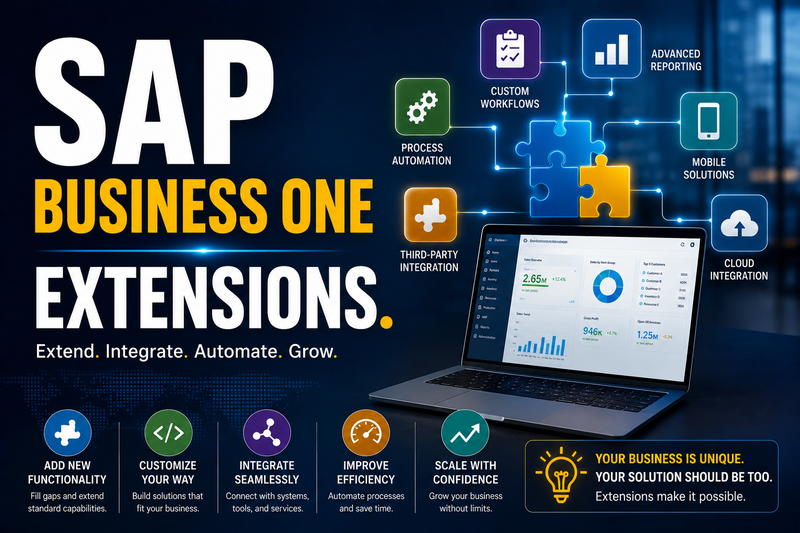
SAP Business One Extensions are tools, add-ons, integrations, and customization capabilities that extend the standard functionality of SAP Business One to meet specific business, industry, or user requirements.
Every business is different. While SAP Business One provides comprehensive ERP functionality out of the box, extensions allow companies to tailor the solution to their unique processes without modifying the core application.
Why Use Extensions?
Businesses use SAP Business One Extensions to:
- Automate manual processes
- Add industry-specific functionality
- Integrate with third-party applications
- Improve user productivity
- Enhance reporting and analytics
- Support digital transformation
- Scale the ERP system as the business grows
Extensions enable organizations to adapt SAP Business One to their operations rather than changing their operations to fit the software.
Types of SAP Business One Extensions
Add-ons
Add-ons are software applications that plug directly into SAP Business One to provide additional functionality.
Common examples include:
- Warehouse Management Systems (WMS)
- Manufacturing Execution Systems (MES)
- Point of Sale (POS)
- Quality Management
- Human Resources and Payroll
- Fixed Asset Management
- Expense Management
- Advanced Planning and Scheduling
- Document Management
Many add-ons are developed by SAP partners and are certified for SAP Business One.
Industry Solutions
Industry-specific extensions address the needs of particular sectors.
Examples include:
Manufacturing
- Production scheduling
- Shop floor data collection
- Machine integration
- Quality control
Wholesale & Distribution
- Route planning
- Barcode scanning
- Warehouse automation
- Supplier collaboration
Retail
- Point of Sale (POS)
- Customer loyalty programs
- Store replenishment
- Multi-store management
Agriculture
- Farm management
- Crop traceability
- Batch and lot tracking
- Harvest planning
Automotive
- Workshop management
- Vehicle service history
- Parts inventory
- Warranty tracking
Mobile Extensions
Extend SAP Business One beyond the office with mobile capabilities, enabling users to:
- Create sales orders
- Approve documents
- View dashboards
- Check inventory
- Access customer information
- Monitor KPIs
These extensions help employees stay productive while working remotely or visiting customers.
Web Applications
Web-based extensions allow users to access selected SAP Business One functions through a browser.
Examples include:
- Customer self-service portals
- Supplier portals
- Dealer portals
- Employee portals
- Online order entry
- Service request portals
E-Commerce Integration
Integrate SAP Business One with online sales channels to synchronize:
- Products
- Inventory
- Pricing
- Customers
- Sales orders
- Shipping information
This reduces manual data entry and helps keep online and ERP data aligned.
Business Intelligence Extensions
Enhance reporting with advanced analytics, including:
- Executive dashboards
- Interactive reports
- KPI monitoring
- Sales forecasting
- Profitability analysis
- Financial analytics
These extensions support faster, data-driven decision-making.
Document Management
Improve document handling by managing:
- Contracts
- Purchase orders
- Supplier documents
- Customer records
- Technical drawings
- Compliance documents
Benefits include reduced paper usage and improved document accessibility.
Workflow Automation
Automate repetitive business processes such as:
- Purchase approvals
- Sales approvals
- Invoice routing
- Notifications
- Email alerts
- Task creation
Automation helps reduce errors and accelerate business processes.
Development and Customization Options
SAP Business One provides several ways to extend its functionality.
User-Defined Fields (UDFs)
Add custom fields to standard forms without programming.
Examples:
- Vehicle registration number
- Product certification
- Customer account manager
- Delivery route
- Warranty expiry date
User-Defined Tables (UDTs)
Store additional business information not covered by the standard data model.
Examples:
- Equipment registers
- Inspection records
- Training schedules
- Asset information
User-Defined Objects (UDOs)
Create entirely new business objects with their own forms, data, and processes.
Examples:
- Maintenance requests
- Quality inspections
- Rental agreements
- Service contracts
Software Development Kit (SDK)
The SAP Business One SDK allows developers to build fully integrated applications.
Common uses include:
- Custom business logic
- Automated workflows
- Industry-specific solutions
- Integration with external systems
- Custom user interfaces
Service Layer and APIs
SAP Business One offers APIs for integrating with external systems such as:
- CRM platforms
- E-commerce websites
- Logistics providers
- Banking systems
- Shipping carriers
- Mobile applications
- Customer portals
This enables seamless data exchange across the business ecosystem.
Benefits of Extensions
Organizations that implement SAP Business One Extensions can achieve:
- Greater operational efficiency
- Reduced manual work
- Industry-specific functionality
- Better customer experiences
- Improved data accuracy
- Enhanced automation
- Increased scalability
- Higher return on ERP investment
Typical Business Scenario
Imagine a wholesale distributor that sells products through both physical branches and an online store.
Using SAP Business One Extensions, the business can:
- Synchronize products and inventory with its e-commerce website.
- Automatically create sales orders in SAP Business One when customers order online.
- Generate warehouse picking lists.
- Update inventory levels in real time.
- Send shipping information back to the customer.
- Display sales and inventory performance on management dashboards.
The result is a streamlined order-to-cash process with fewer manual steps and greater visibility.
Who Benefits from SAP Business One Extensions?
Extensions provide value across many industries, including:
- Manufacturing
- Wholesale and Distribution
- Retail
- Food and Beverage
- Agriculture
- Automotive
- Professional Services
- Healthcare
- Pharmaceuticals
- Engineering
- Logistics
Summary
SAP Business One Extensions enable businesses to tailor and expand their ERP system through add-ons, integrations, industry solutions, mobile applications, and custom development. Whether you need warehouse management, e-commerce integration, workflow automation, advanced reporting, or custom business processes, extensions allow SAP Business One to evolve with your business while protecting your investment in a robust ERP platform.